DRBL 企鵝龍
Diskless Remote Boot in Linux
English
最新消息
簡介
照片與螢幕快照
相關文章與報導
下載
安裝
管理與使用
FAQ/Q&A
諮詢與架設服務
討論區
課程與研討會資料
您好,您可能已關閉 JavaScript,建議您開啟您瀏覽器設定已支援 Javascript
如何在 Secure Boot Enabled 設備中啟動 Clonezilla Live
subdir_Arr -- 本目錄有 0 項分類
↑
files_Arr -- 本目錄有 7 篇快照
->
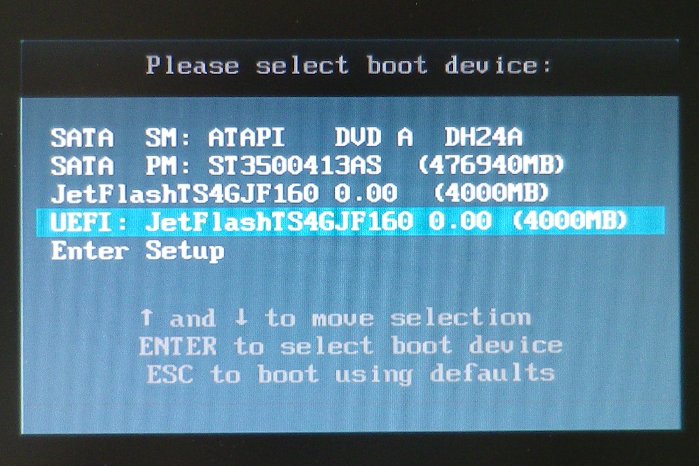
00_select_EFI_boot_device.JPG
(83KB)
->
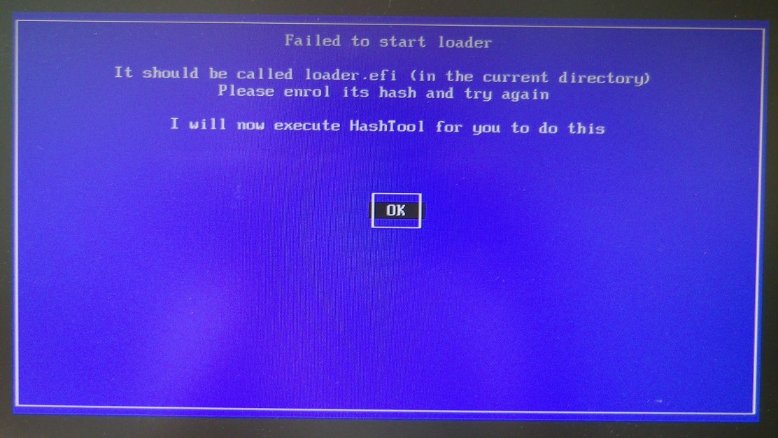
01_failed_to_start_loader.JPG
(63KB)
->
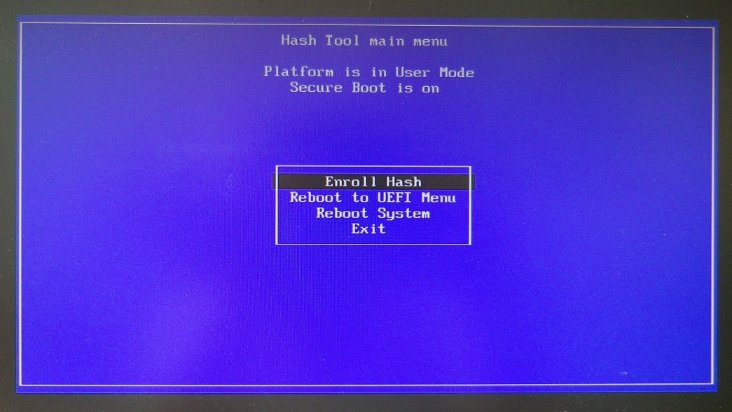
02_start_hash_tool.JPG
(54KB)
->
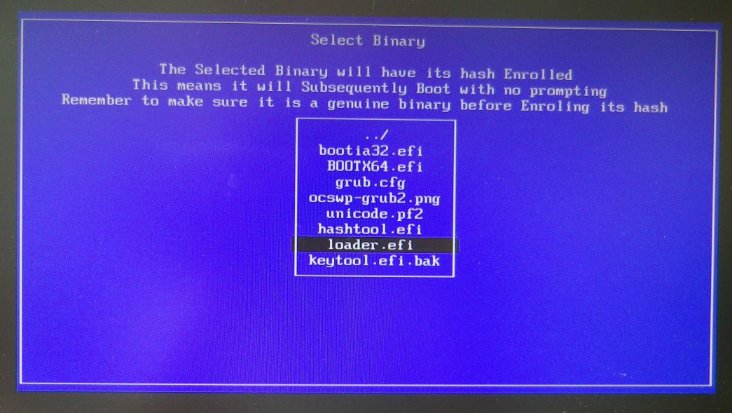
03_select_loader_to_hash.JPG
(64KB)
->
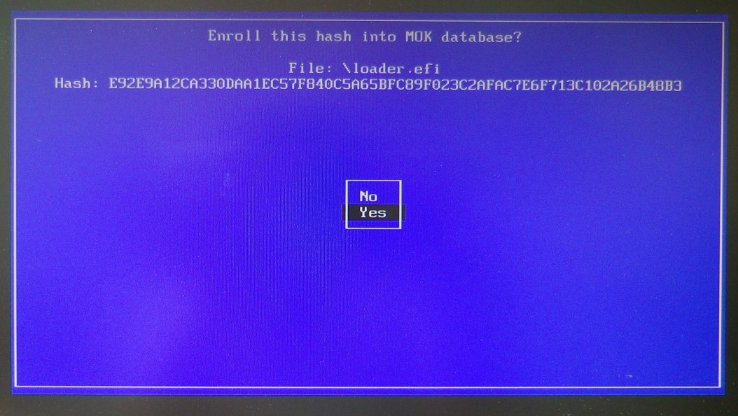
04_enroll_hash_to_MOK.JPG
(57KB)
->
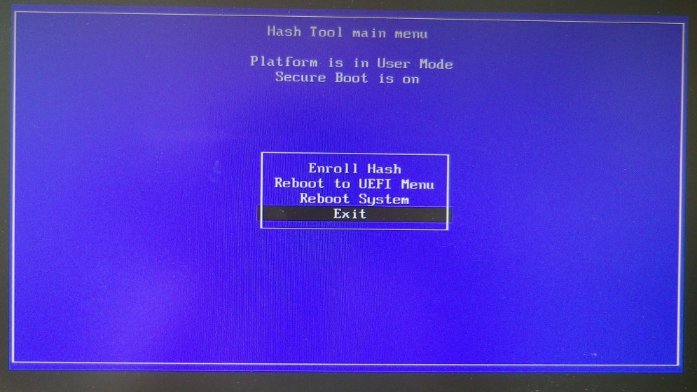
05_done_and_exit.JPG
(51KB)
->
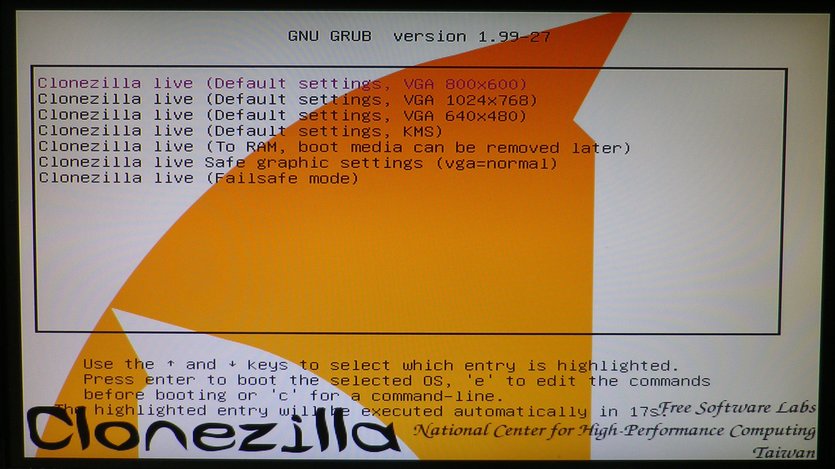
06_start_cloenzilla_in_EFI_sb.JPG
(89KB)
點選圖片可以看到原始大小圖片
^TOP^
00_select_EFI_boot_device.JPG
00_select_EFI_boot_device.JPG
^TOP^
01_failed_to_start_loader.JPG
01_failed_to_start_loader.JPG
^TOP^
02_start_hash_tool.JPG
02_start_hash_tool.JPG
^TOP^
03_select_loader_to_hash.JPG
03_select_loader_to_hash.JPG
^TOP^
04_enroll_hash_to_MOK.JPG
04_enroll_hash_to_MOK.JPG
^TOP^
05_done_and_exit.JPG
05_done_and_exit.JPG
^TOP^
06_start_cloenzilla_in_EFI_sb.JPG
06_start_cloenzilla_in_EFI_sb.JPG
自由軟體實驗室
,
NCHC
, Taiwan

 如何在 Secure Boot Enabled 設備中啟動 Clonezilla Live